About Exsto: Concept Art Sketching
Exsto is an experimental drawing and concept-sketching tool built for artists. Explore characters, creatures, environments, compositions, and unexpected forms with expressive strokes, mirror drawing, symmetry, and...
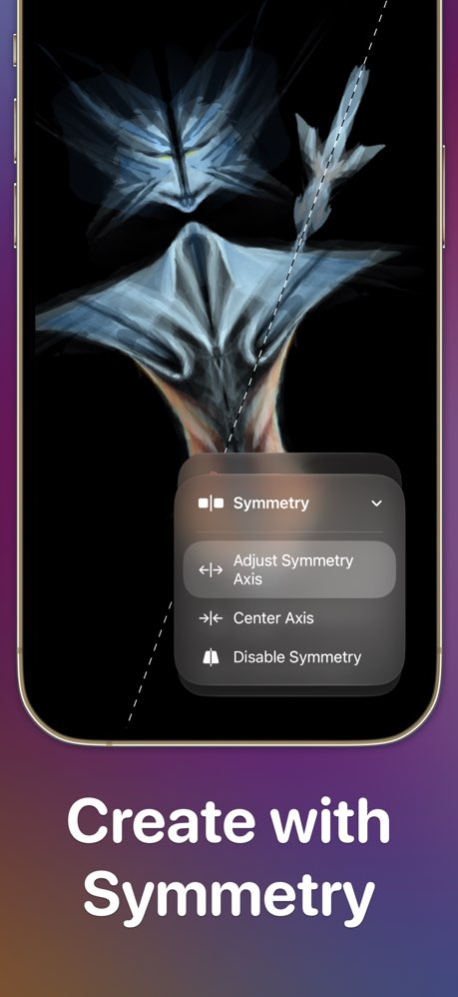
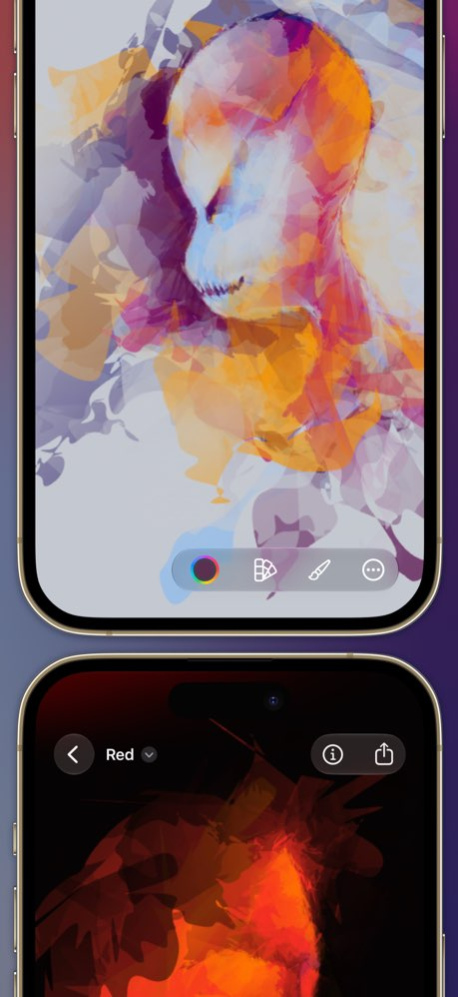
Exsto is an experimental drawing and concept-sketching tool built for artists. Explore characters, creatures, environments, compositions, and unexpected forms with expressive strokes, mirror drawing, symmetry, and three-point perspective. Exsto is designed for the beginning of the creative process-the fast, loose stage where you test shapes, develop variations, and follow unexpected directions. Natural variation in every movement becomes part of the result, helping you find forms you might never have planned. DRAW IN PERSPECTIVE Position three vanishing points, select a ground or wall plane, and draw directly onto it. Exsto maps your strokes and their expressive variation into the selected plane, while an adaptive grid helps you understand the space as you pan and zoom. EXPLORE WITH MIRROR AND SYMMETRY Mirror your strokes in real time around an adjustable axis. Use symmetry to develop balanced characters, creatures, props, vehicles, architecture, and unexpected abstract forms. EXPLORE SHAPE AND FORM Exsto’s organic stroke behaviour responds to subtle variations in your movement. Work loosely, push shapes in different directions, and develop the strongest results further. MADE FOR APPLE PENCIL On iPad, Exsto responds to Apple Pencil pressure, tilt, speed, and movement. Subtle variations in your input influence each stroke, giving you direct control without removing the unexpected qualities that make exploration productive. WORK ACROSS IPAD, IPHONE, AND MAC Every Exsto canvas is an editable document. Save your work in iCloud Drive or your preferred Files-compatible cloud service, begin a concept with Apple Pencil on iPad, continue working on Mac, and keep ideas close on iPhone. You can also share the original Exsto document without flattening your artwork. Built natively for Apple platforms using Metal and SwiftUI, Exsto delivers fluid, responsive drawing across your devices. CONTINUE CREATING FROM THE HOME SCREEN The interactive Creation of the Day widget lets you add strokes directly from your Home Screen. Build an image gradually throughout the day and return to Exsto when an idea begins to take shape. MOVE IDEAS INTO YOUR WORKFLOW Export your work as PNG, JPEG, TIFF, or SVG. Continue developing your concepts in another art tool, share exported artwork with collaborators, include it in a presentation, or use it as the foundation for a finished piece. EXSTO UNLIMITED Try Exsto’s drawing experience in the free Playground. Exsto Unlimited unlocks the ability to create, edit, save, and share multiple Exsto canvas documents, along with high-resolution PNG, JPEG, TIFF, and SVG exports. Choose a recurring subscription or a one-time lifetime purchase. Both options unlock the same Exsto Unlimited features. Subscription access continues while your subscription is active. The lifetime purchase is a single payment and includes all future updates. The app and all in-app purchases are licensed under the standard Apple terms: https://www.apple.com/legal/internet-services/itunes/dev/stdeula/
Version History Create environments, architecture, vehicles, and concept sketches with the new three-point Perspective drawing mode. - Draw on Ground, Left Wall, or Right Wall perspective planes while preserving the natural character of your strokes. - Position three vanishing points with live guides, then work over an adaptive perspective grid as you pan and zoom. - Switch planes quickly using the Mac and iPad toolbars, keyboard shortcuts, or the new Apple Pencil tap action. - Navigate the canvas using keyboard commands for fitting artwork, zooming, panning, rotating, and straightening the view. 5.2 Aug 1 - Added canvas rotation, making it easier to turn your workspace into a comfortable drawing position. - Symmetry guides can now be rotated separately, giving you more control over mirrored drawing. 5.1 Jun 25 The interface has been reimagined with Liquid Glass, adding gentle translucency and depth that make Exsto feel more open, modern, and alive. 5.0 11/17/2025 Exsto v4 is now a document-based application, allowing you to share canvases across your devices, including your Mac! v4.0.2 includes the ability to create a new canvas from your Creation of the Day widget. 4.0.2 01/21/2025 Exsto v4 is now a document-based application, allowing you to share canvases across your devices, including your Mac! v4.0.1 includes settings for iPad to configure drawing tools and pencil drawing preferences. 4.0.1 01/07/2025 Exsto is now a document-based application, allowing you to share canvases across your devices, including your Mac! 4.0 01/04/2025 * Export TIFF format * Customize export resolution 3.1 05/30/2024 - Fixes a problem in widgets that prevented them from refreshing daily 3.0.2 11/16/2023 - Perfomance improvements for widgets on iPad and iPhone 3.0.1 11/11/2023 - SharePlay support for collaborative creation with friends and family - `Creation of the Day` interactive widget that lets you make abstract art right on your Home Screen - Tips throughout the app to help you make the most of Exsto 3.0 09/17/2023 - iPhone support - Canvas export and import for moving and editing artworks between devices - Undo and redo button and a toggle in settings to hide it for focused creativity - New pricing model: now you can try Exsto for free before you commit Bugfixes in 2.1.2: - Strokes with 0% noise now have smooth edges, even when using Apple Pencil at an angle 2.1.2 08/19/2023 - iPhone support - Canvas export and import for moving and editing artworks between devices - Undo and redo button and a toggle in settings to hide it for focused creativity - New pricing model: now you can try Exsto for free before you commit - Bug fix to ensure users that purchased prior to 2.1 have all features unlocked 2.1.1 07/01/2023 - iPhone support - Canvas export and import for moving and editing artworks between devices - Undo and redo button and a toggle in settings to hide it for focused creativity - New pricing model: now you can try Exsto for free before you commit 2.1 07/01/2023 ⁃ Interactive introduction tutorial to get you started on your creative journey - Automatically picked color sets for new canvases to let you jump straight into creating - Better performance when panning and zooming large canvases powered by Metal not to limit your creative flow - Subtle stroke changes responding to Apple Pencil tilt and pressure to give you more control - Adjusted rendering in response to low power mode and critical thermal state not to overwhelm your device - Improved support for reduced motion accessibility setting to respect your device settings 2.0 05/15/2023 Drawing tutorials are now included in the app: - Follow our video tutorials for inspiration on how to use Exsto's special fluid brush - Tutorials also come with step-by-step instructions and images - Our drawing tutorials are easy and only take a few minutes to complete - You will always end up with impressive and unique drawings thanks to the nature of the brush 1.3 02/20/2023 - Smoother transitions when opening large canvases - Additional help links giving more information about the brush noise setting - Improved Voice Over experience throughout the app 1.2.2 02/02/2023 This update fixes some issues and provides usability improvements: ⁃ Fixed a rare crash that happened when canvas settings panel was dismissed while background color picker was presented ⁃ Improved error messages shown after a failed attempt to import a reference image, for example, when the image is stored in iCloud but the device is offline ⁃ We now also show a loading indicator while loading the reference image when the image is dropped onto the canvas not in reference image editing mode ⁃ Color picker now sets RGB values to 0 when RGB text fields are empty 1.2.1 01/13/2023 - Improved canvas interactions with Voice Over - Long press anywhere on the canvas to color pick - Rename artwork from canvas settings popover - New help sheet with a quick guide and links to video tutorials 1.2 01/08/2023 Improved support for drawing in iPad Split View and Stage Manager and enhanced performance for opening and panning large canvases. 1.1 12/20/2022 1.0 12/20/2022
Previous Versions
Here you can find the changelog of Exsto: Concept Art Sketching since it was posted on our website on 2023-07-06 14:58:02.
The latest version is 5.2 and it was updated on 2026-10-07 15:20:25. See below the changes in each version.
Exsto: Concept Art Sketching version 5.2
Updated At: 2026-10-06
Changes: Version History Create environments, architecture, vehicles, and concept sketches with the new three-point Perspective drawing mode.
- Draw on Ground, Left Wall, or Right Wall perspective planes while preserving the natural character of your strokes.
- Position three vanishing points with live guides, then work over an adaptive perspective grid as you pan and zoom.
- Switch planes quickly using the Mac and iPad toolbars, keyboard shortcuts, or the new Apple Pencil tap action.
- Navigate the canvas using keyboard commands for fitting artwork, zooming, panning, rotating, and straightening the view. 5.2 Aug 1 - Added canvas rotation, making it easier to turn your workspace into a comfortable drawing position.
- Symmetry guides can now be rotated separately, giving you more control over mirrored drawing. 5.1 Jun 25 The interface has been reimagined with Liquid Glass, adding gentle translucency and depth that make Exsto feel more open, modern, and alive. 5.0 11/17/2025 Exsto v4 is now a document-based application, allowing you to share canvases across your devices, including your Mac!
v4.0.2 includes the ability to create a new canvas from your Creation of the Day widget. 4.0.2 01/21/2025 Exsto v4 is now a document-based application, allowing you to share canvases across your devices, including your Mac!
v4.0.1 includes settings for iPad to configure drawing tools and pencil drawing preferences. 4.0.1 01/07/2025 Exsto is now a document-based application, allowing you to share canvases across your devices, including your Mac! 4.0 01/04/2025 * Export TIFF format
* Customize export resolution 3.1 05/30/2024 - Fixes a problem in widgets that prevented them from refreshing daily 3.0.2 11/16/2023 - Perfomance improvements for widgets on iPad and iPhone 3.0.1 11/11/2023 - SharePlay support for collaborative creation with friends and family
- `Creation of the Day` interactive widget that lets you make abstract art right on your Home Screen
- Tips throughout the app to help you make the most of Exsto 3.0 09/17/2023 - iPhone support
- Canvas export and import for moving and editing artworks between devices
- Undo and redo button and a toggle in settings to hide it for focused creativity
- New pricing model: now you can try Exsto for free before you commit
Bugfixes in 2.1.2:
- Strokes with 0% noise now have smooth edges, even when using Apple Pencil at an angle 2.1.2 08/19/2023 - iPhone support
- Canvas export and import for moving and editing artworks between devices
- Undo and redo button and a toggle in settings to hide it for focused creativity
- New pricing model: now you can try Exsto for free before you commit
- Bug fix to ensure users that purchased prior to 2.1 have all features unlocked 2.1.1 07/01/2023 - iPhone support
- Canvas export and import for moving and editing artworks between devices
- Undo and redo button and a toggle in settings to hide it for focused creativity
- New pricing model: now you can try Exsto for free before you commit 2.1 07/01/2023 ⁃ Interactive introduction tutorial to get you started on your creative journey
- Automatically picked color sets for new canvases to let you jump straight into creating
- Better performance when panning and zooming large canvases powered by Metal not to limit your creative flow
- Subtle stroke changes responding to Apple Pencil tilt and pressure to give you more control
- Adjusted rendering in response to low power mode and critical thermal state not to overwhelm your device
- Improved support for reduced motion accessibility setting to respect your device settings 2.0 05/15/2023 Drawing tutorials are now included in the app:
- Follow our video tutorials for inspiration on how to use Exsto's special fluid brush
- Tutorials also come with step-by-step instructions and images
- Our drawing tutorials are easy and only take a few minutes to complete
- You will always end up with impressive and unique drawings thanks to the nature of the brush 1.3 02/20/2023 - Smoother transitions when opening large canvases
- Additional help links giving more information about the brush noise setting
- Improved Voice Over experience throughout the app 1.2.2 02/02/2023 This update fixes some issues and provides usability improvements:
⁃ Fixed a rare crash that happened when canvas settings panel was dismissed while background color picker was presented
⁃ Improved error messages shown after a failed attempt to import a reference image, for example, when the image is stored in iCloud but the device is offline
⁃ We now also show a loading indicator while loading the reference image when the image is dropped onto the canvas not in reference image editing mode
⁃ Color picker now sets RGB values to 0 when RGB text fields are empty 1.2.1 01/13/2023 - Improved canvas interactions with Voice Over
- Long press anywhere on the canvas to color pick
- Rename artwork from canvas settings popover
- New help sheet with a quick guide and links to video tutorials 1.2 01/08/2023 Improved support for drawing in iPad Split View and Stage Manager and enhanced performance for opening and panning large canvases. 1.1 12/20/2022 1.0 12/20/2022
Exsto: Concept Art Sketching version 5.2
Updated At: 2026-08-05
Changes: Version History Create environments, architecture, vehicles, and concept sketches with the new three-point Perspective drawing mode.
- Draw on Ground, Left Wall, or Right Wall perspective planes while preserving the natural character of your strokes.
- Position three vanishing points with live guides, then work over an adaptive perspective grid as you pan and zoom.
- Switch planes quickly using the Mac and iPad toolbars, keyboard shortcuts, or the new Apple Pencil tap action.
- Navigate the canvas using keyboard commands for fitting artwork, zooming, panning, rotating, and straightening the view. 5.2 3d ago - Added canvas rotation, making it easier to turn your workspace into a comfortable drawing position.
- Symmetry guides can now be rotated separately, giving you more control over mirrored drawing. 5.1 Jun 25 The interface has been reimagined with Liquid Glass, adding gentle translucency and depth that make Exsto feel more open, modern, and alive. 5.0 11/17/2025 Exsto v4 is now a document-based application, allowing you to share canvases across your devices, including your Mac!
v4.0.2 includes the ability to create a new canvas from your Creation of the Day widget. 4.0.2 01/21/2025 Exsto v4 is now a document-based application, allowing you to share canvases across your devices, including your Mac!
v4.0.1 includes settings for iPad to configure drawing tools and pencil drawing preferences. 4.0.1 01/07/2025 Exsto is now a document-based application, allowing you to share canvases across your devices, including your Mac! 4.0 01/04/2025 * Export TIFF format
* Customize export resolution 3.1 05/30/2024 - Fixes a problem in widgets that prevented them from refreshing daily 3.0.2 11/16/2023 - Perfomance improvements for widgets on iPad and iPhone 3.0.1 11/11/2023 - SharePlay support for collaborative creation with friends and family
- `Creation of the Day` interactive widget that lets you make abstract art right on your Home Screen
- Tips throughout the app to help you make the most of Exsto 3.0 09/17/2023 - iPhone support
- Canvas export and import for moving and editing artworks between devices
- Undo and redo button and a toggle in settings to hide it for focused creativity
- New pricing model: now you can try Exsto for free before you commit
Bugfixes in 2.1.2:
- Strokes with 0% noise now have smooth edges, even when using Apple Pencil at an angle 2.1.2 08/19/2023 - iPhone support
- Canvas export and import for moving and editing artworks between devices
- Undo and redo button and a toggle in settings to hide it for focused creativity
- New pricing model: now you can try Exsto for free before you commit
- Bug fix to ensure users that purchased prior to 2.1 have all features unlocked 2.1.1 07/01/2023 - iPhone support
- Canvas export and import for moving and editing artworks between devices
- Undo and redo button and a toggle in settings to hide it for focused creativity
- New pricing model: now you can try Exsto for free before you commit 2.1 07/01/2023 ⁃ Interactive introduction tutorial to get you started on your creative journey
- Automatically picked color sets for new canvases to let you jump straight into creating
- Better performance when panning and zooming large canvases powered by Metal not to limit your creative flow
- Subtle stroke changes responding to Apple Pencil tilt and pressure to give you more control
- Adjusted rendering in response to low power mode and critical thermal state not to overwhelm your device
- Improved support for reduced motion accessibility setting to respect your device settings 2.0 05/15/2023 Drawing tutorials are now included in the app:
- Follow our video tutorials for inspiration on how to use Exsto's special fluid brush
- Tutorials also come with step-by-step instructions and images
- Our drawing tutorials are easy and only take a few minutes to complete
- You will always end up with impressive and unique drawings thanks to the nature of the brush 1.3 02/20/2023 - Smoother transitions when opening large canvases
- Additional help links giving more information about the brush noise setting
- Improved Voice Over experience throughout the app 1.2.2 02/02/2023 This update fixes some issues and provides usability improvements:
⁃ Fixed a rare crash that happened when canvas settings panel was dismissed while background color picker was presented
⁃ Improved error messages shown after a failed attempt to import a reference image, for example, when the image is stored in iCloud but the device is offline
⁃ We now also show a loading indicator while loading the reference image when the image is dropped onto the canvas not in reference image editing mode
⁃ Color picker now sets RGB values to 0 when RGB text fields are empty 1.2.1 01/13/2023 - Improved canvas interactions with Voice Over
- Long press anywhere on the canvas to color pick
- Rename artwork from canvas settings popover
- New help sheet with a quick guide and links to video tutorials 1.2 01/08/2023 Improved support for drawing in iPad Split View and Stage Manager and enhanced performance for opening and panning large canvases. 1.1 12/20/2022 1.0 12/20/2022
Exsto: Concept Art Sketching version 5.1
Updated At: 2026-07-23
Changes: Version History - Added canvas rotation, making it easier to turn your workspace into a comfortable drawing position.
- Symmetry guides can now be rotated separately, giving you more control over mirrored drawing. 5.1 Jun 25 The interface has been reimagined with Liquid Glass, adding gentle translucency and depth that make Exsto feel more open, modern, and alive. 5.0 11/17/2025 Exsto v4 is now a document-based application, allowing you to share canvases across your devices, including your Mac!
v4.0.2 includes the ability to create a new canvas from your Creation of the Day widget. 4.0.2 01/21/2025 Exsto v4 is now a document-based application, allowing you to share canvases across your devices, including your Mac!
v4.0.1 includes settings for iPad to configure drawing tools and pencil drawing preferences. 4.0.1 01/07/2025 Exsto is now a document-based application, allowing you to share canvases across your devices, including your Mac! 4.0 01/04/2025 * Export TIFF format
* Customize export resolution 3.1 05/30/2024 - Fixes a problem in widgets that prevented them from refreshing daily 3.0.2 11/16/2023 - Perfomance improvements for widgets on iPad and iPhone 3.0.1 11/11/2023 - SharePlay support for collaborative creation with friends and family
- `Creation of the Day` interactive widget that lets you make abstract art right on your Home Screen
- Tips throughout the app to help you make the most of Exsto 3.0 09/17/2023 - iPhone support
- Canvas export and import for moving and editing artworks between devices
- Undo and redo button and a toggle in settings to hide it for focused creativity
- New pricing model: now you can try Exsto for free before you commit
Bugfixes in 2.1.2:
- Strokes with 0% noise now have smooth edges, even when using Apple Pencil at an angle 2.1.2 08/19/2023 - iPhone support
- Canvas export and import for moving and editing artworks between devices
- Undo and redo button and a toggle in settings to hide it for focused creativity
- New pricing model: now you can try Exsto for free before you commit
- Bug fix to ensure users that purchased prior to 2.1 have all features unlocked 2.1.1 07/01/2023 - iPhone support
- Canvas export and import for moving and editing artworks between devices
- Undo and redo button and a toggle in settings to hide it for focused creativity
- New pricing model: now you can try Exsto for free before you commit 2.1 07/01/2023 ⁃ Interactive introduction tutorial to get you started on your creative journey
- Automatically picked color sets for new canvases to let you jump straight into creating
- Better performance when panning and zooming large canvases powered by Metal not to limit your creative flow
- Subtle stroke changes responding to Apple Pencil tilt and pressure to give you more control
- Adjusted rendering in response to low power mode and critical thermal state not to overwhelm your device
- Improved support for reduced motion accessibility setting to respect your device settings 2.0 05/15/2023 Drawing tutorials are now included in the app:
- Follow our video tutorials for inspiration on how to use Exsto's special fluid brush
- Tutorials also come with step-by-step instructions and images
- Our drawing tutorials are easy and only take a few minutes to complete
- You will always end up with impressive and unique drawings thanks to the nature of the brush 1.3 02/20/2023 - Smoother transitions when opening large canvases
- Additional help links giving more information about the brush noise setting
- Improved Voice Over experience throughout the app 1.2.2 02/02/2023 This update fixes some issues and provides usability improvements:
⁃ Fixed a rare crash that happened when canvas settings panel was dismissed while background color picker was presented
⁃ Improved error messages shown after a failed attempt to import a reference image, for example, when the image is stored in iCloud but the device is offline
⁃ We now also show a loading indicator while loading the reference image when the image is dropped onto the canvas not in reference image editing mode
⁃ Color picker now sets RGB values to 0 when RGB text fields are empty 1.2.1 01/13/2023 - Improved canvas interactions with Voice Over
- Long press anywhere on the canvas to color pick
- Rename artwork from canvas settings popover
- New help sheet with a quick guide and links to video tutorials 1.2 01/08/2023 Improved support for drawing in iPad Split View and Stage Manager and enhanced performance for opening and panning large canvases. 1.1 12/20/2022 1.0 12/20/2022
Exsto: Concept Art Sketching version 5.1
Updated At: 2026-07-01
Changes: Version History - Added canvas rotation, making it easier to turn your workspace into a comfortable drawing position.
- Symmetry guides can now be rotated separately, giving you more control over mirrored drawing. 5.1 5d ago The interface has been reimagined with Liquid Glass, adding gentle translucency and depth that make Exsto feel more open, modern, and alive. 5.0 11/17/2025 Exsto v4 is now a document-based application, allowing you to share canvases across your devices, including your Mac!
v4.0.2 includes the ability to create a new canvas from your Creation of the Day widget. 4.0.2 01/21/2025 Exsto v4 is now a document-based application, allowing you to share canvases across your devices, including your Mac!
v4.0.1 includes settings for iPad to configure drawing tools and pencil drawing preferences. 4.0.1 01/07/2025 Exsto is now a document-based application, allowing you to share canvases across your devices, including your Mac! 4.0 01/04/2025 * Export TIFF format
* Customize export resolution 3.1 05/30/2024 - Fixes a problem in widgets that prevented them from refreshing daily 3.0.2 11/16/2023 - Perfomance improvements for widgets on iPad and iPhone 3.0.1 11/11/2023 - SharePlay support for collaborative creation with friends and family
- `Creation of the Day` interactive widget that lets you make abstract art right on your Home Screen
- Tips throughout the app to help you make the most of Exsto 3.0 09/17/2023 - iPhone support
- Canvas export and import for moving and editing artworks between devices
- Undo and redo button and a toggle in settings to hide it for focused creativity
- New pricing model: now you can try Exsto for free before you commit
Bugfixes in 2.1.2:
- Strokes with 0% noise now have smooth edges, even when using Apple Pencil at an angle 2.1.2 08/19/2023 - iPhone support
- Canvas export and import for moving and editing artworks between devices
- Undo and redo button and a toggle in settings to hide it for focused creativity
- New pricing model: now you can try Exsto for free before you commit
- Bug fix to ensure users that purchased prior to 2.1 have all features unlocked 2.1.1 07/01/2023 - iPhone support
- Canvas export and import for moving and editing artworks between devices
- Undo and redo button and a toggle in settings to hide it for focused creativity
- New pricing model: now you can try Exsto for free before you commit 2.1 07/01/2023 ⁃ Interactive introduction tutorial to get you started on your creative journey
- Automatically picked color sets for new canvases to let you jump straight into creating
- Better performance when panning and zooming large canvases powered by Metal not to limit your creative flow
- Subtle stroke changes responding to Apple Pencil tilt and pressure to give you more control
- Adjusted rendering in response to low power mode and critical thermal state not to overwhelm your device
- Improved support for reduced motion accessibility setting to respect your device settings 2.0 05/15/2023 Drawing tutorials are now included in the app:
- Follow our video tutorials for inspiration on how to use Exsto's special fluid brush
- Tutorials also come with step-by-step instructions and images
- Our drawing tutorials are easy and only take a few minutes to complete
- You will always end up with impressive and unique drawings thanks to the nature of the brush 1.3 02/20/2023 - Smoother transitions when opening large canvases
- Additional help links giving more information about the brush noise setting
- Improved Voice Over experience throughout the app 1.2.2 02/02/2023 This update fixes some issues and provides usability improvements:
⁃ Fixed a rare crash that happened when canvas settings panel was dismissed while background color picker was presented
⁃ Improved error messages shown after a failed attempt to import a reference image, for example, when the image is stored in iCloud but the device is offline
⁃ We now also show a loading indicator while loading the reference image when the image is dropped onto the canvas not in reference image editing mode
⁃ Color picker now sets RGB values to 0 when RGB text fields are empty 1.2.1 01/13/2023 - Improved canvas interactions with Voice Over
- Long press anywhere on the canvas to color pick
- Rename artwork from canvas settings popover
- New help sheet with a quick guide and links to video tutorials 1.2 01/08/2023 Improved support for drawing in iPad Split View and Stage Manager and enhanced performance for opening and panning large canvases. 1.1 12/20/2022 1.0 12/20/2022
Exsto: Concept Art Sketching version 5.0
Updated At: 2026-06-11
Changes: Version History The interface has been reimagined with Liquid Glass, adding gentle translucency and depth that make Exsto feel more open, modern, and alive. 5.0 11/17/2025 Exsto v4 is now a document-based application, allowing you to share canvases across your devices, including your Mac!
v4.0.2 includes the ability to create a new canvas from your Creation of the Day widget. 4.0.2 01/21/2025 Exsto v4 is now a document-based application, allowing you to share canvases across your devices, including your Mac!
v4.0.1 includes settings for iPad to configure drawing tools and pencil drawing preferences. 4.0.1 01/07/2025 Exsto is now a document-based application, allowing you to share canvases across your devices, including your Mac! 4.0 01/04/2025 * Export TIFF format
* Customize export resolution 3.1 05/30/2024 - Fixes a problem in widgets that prevented them from refreshing daily 3.0.2 11/16/2023 - Perfomance improvements for widgets on iPad and iPhone 3.0.1 11/11/2023 - SharePlay support for collaborative creation with friends and family
- `Creation of the Day` interactive widget that lets you make abstract art right on your Home Screen
- Tips throughout the app to help you make the most of Exsto 3.0 09/17/2023 - iPhone support
- Canvas export and import for moving and editing artworks between devices
- Undo and redo button and a toggle in settings to hide it for focused creativity
- New pricing model: now you can try Exsto for free before you commit
Bugfixes in 2.1.2:
- Strokes with 0% noise now have smooth edges, even when using Apple Pencil at an angle 2.1.2 08/19/2023 - iPhone support
- Canvas export and import for moving and editing artworks between devices
- Undo and redo button and a toggle in settings to hide it for focused creativity
- New pricing model: now you can try Exsto for free before you commit
- Bug fix to ensure users that purchased prior to 2.1 have all features unlocked 2.1.1 07/01/2023 - iPhone support
- Canvas export and import for moving and editing artworks between devices
- Undo and redo button and a toggle in settings to hide it for focused creativity
- New pricing model: now you can try Exsto for free before you commit 2.1 07/01/2023 ⁃ Interactive introduction tutorial to get you started on your creative journey
- Automatically picked color sets for new canvases to let you jump straight into creating
- Better performance when panning and zooming large canvases powered by Metal not to limit your creative flow
- Subtle stroke changes responding to Apple Pencil tilt and pressure to give you more control
- Adjusted rendering in response to low power mode and critical thermal state not to overwhelm your device
- Improved support for reduced motion accessibility setting to respect your device settings 2.0 05/15/2023 Drawing tutorials are now included in the app:
- Follow our video tutorials for inspiration on how to use Exsto's special fluid brush
- Tutorials also come with step-by-step instructions and images
- Our drawing tutorials are easy and only take a few minutes to complete
- You will always end up with impressive and unique drawings thanks to the nature of the brush 1.3 02/20/2023 - Smoother transitions when opening large canvases
- Additional help links giving more information about the brush noise setting
- Improved Voice Over experience throughout the app 1.2.2 02/02/2023 This update fixes some issues and provides usability improvements:
⁃ Fixed a rare crash that happened when canvas settings panel was dismissed while background color picker was presented
⁃ Improved error messages shown after a failed attempt to import a reference image, for example, when the image is stored in iCloud but the device is offline
⁃ We now also show a loading indicator while loading the reference image when the image is dropped onto the canvas not in reference image editing mode
⁃ Color picker now sets RGB values to 0 when RGB text fields are empty 1.2.1 01/13/2023 - Improved canvas interactions with Voice Over
- Long press anywhere on the canvas to color pick
- Rename artwork from canvas settings popover
- New help sheet with a quick guide and links to video tutorials 1.2 01/08/2023 Improved support for drawing in iPad Split View and Stage Manager and enhanced performance for opening and panning large canvases. 1.1 12/20/2022 1.0 12/20/2022
Exsto: Concept Art Sketching version 5.0
Updated At: 2025-11-17
Changes: The interface has been reimagined with Liquid Glass, adding gentle translucency and depth that make Exsto feel more open, modern, and alive.
Exsto: Concept Art Sketching version -
Updated At: 2025-09-24
Exsto: Concept Art Sketching version 3.1
Updated At: 2024-05-30
Changes: May 30, 2024
Version 3.1
* Export TIFF format
* Customize export resolution
Exsto: Concept Art Sketching version 3.0.2
Updated At: 2023-11-16
Changes: Nov 16, 2023
Version 3.0.2
- Fixes a problem in widgets that prevented them from refreshing daily
Exsto: Concept Art Sketching version 3.0
Updated At: 2023-09-17
Changes: Sep 17, 2023
Version 3.0
- SharePlay support for collaborative creation with friends and family
- `Creation of the Day` interactive widget that lets you make abstract art right on your Home Screen
- Tips throughout the app to help you make the most of Exsto
Disclaimer
Official App Store Link
We do not host Exsto: Concept Art Sketching on our servers. We did not scan it for viruses, adware, spyware or other type of malware. This app is hosted by Apple and passed their terms and conditions to be listed there. We recommend caution when installing it.
The App Store link for Exsto: Concept Art Sketching is provided to you by apps112.com without any warranties, representations or guarantees of any kind, so access it at your own risk.
If you have questions regarding this particular app contact the publisher directly. For questions about the functionalities of apps112.com contact us.